Annotate pdf from text (.md or .txt files) remarks
I had to annotate a large PDF (a PhD manuscript) without a tablet, and I was too lazy to click through several toolbar buttons for every single remark. So I built this tool (with some AI help, to save time). Hopefully it’s useful to others too.
It turns an original pdf (including line numbers) and a text file with remarks related to some lines into an annotated pdf.
source: https://github.com/pierrepeterlongo/annotate_pdf_from_remarks
Example
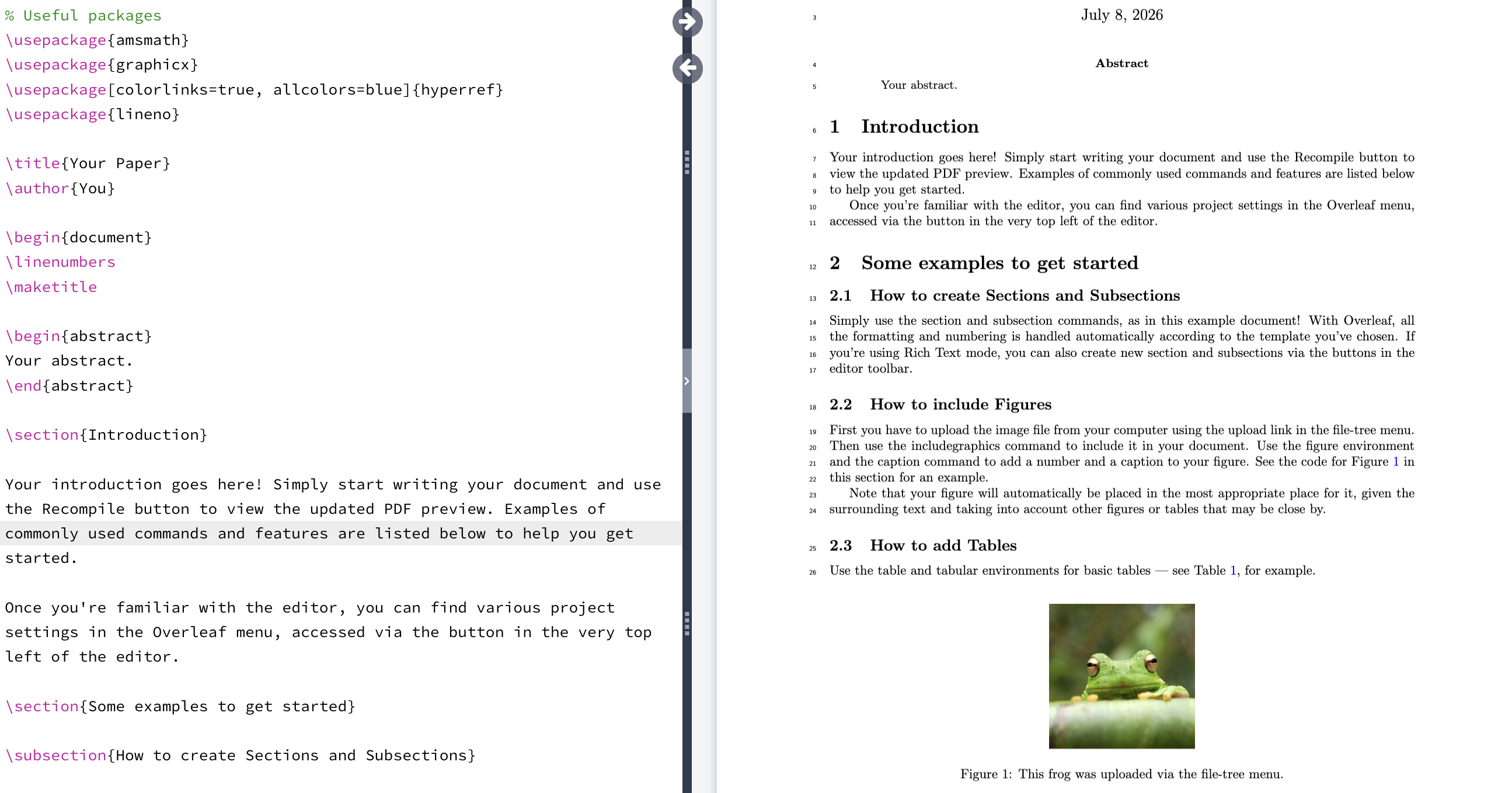
- Here is an original pdf (
my_pdf.pdf) created with latex, using the{lineno}package and starting the document with the\linenumbersinstruction
- Here is a text file
remarks.txtwith some remarks
l5: the abstract is empty
find:"Figure 1": Why a frog?
- Annotate using the annotate-pdf-from-remarks tool:
annotate-pdf-from-remarks \
    --pdf my_pdf.pdf \
    --remarks remarks.txt \
    --output my_pdf_annotated.pdf
- Resulting PDF:
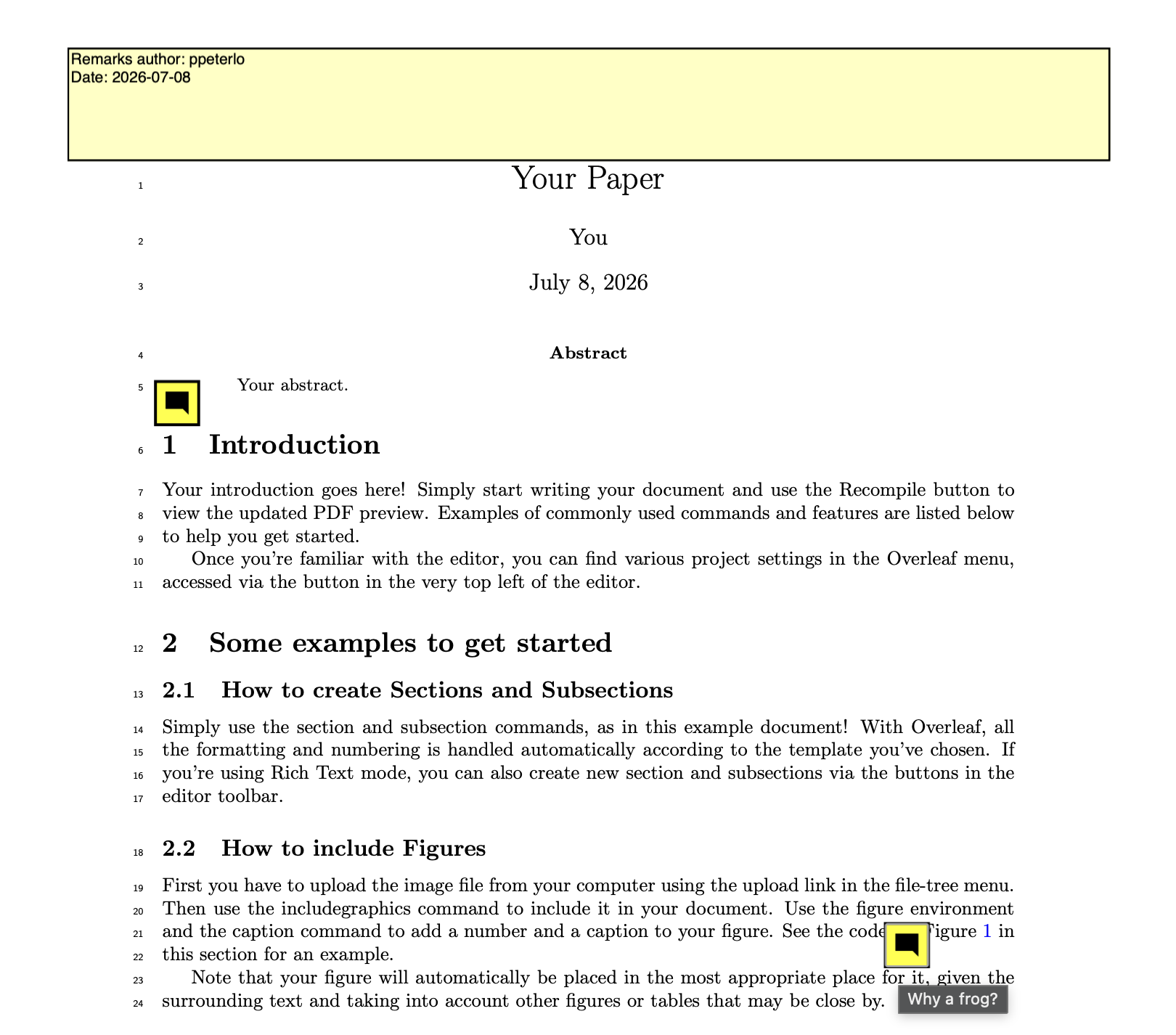
In this PDF, each remark appears at its corresponding line, and is clickable (note that how these annotations are displayed likely depends on the PDF viewer you use).
The resulting pdf includes on the first page a short report with the name of the author of the remarks and the date.
In case of errors
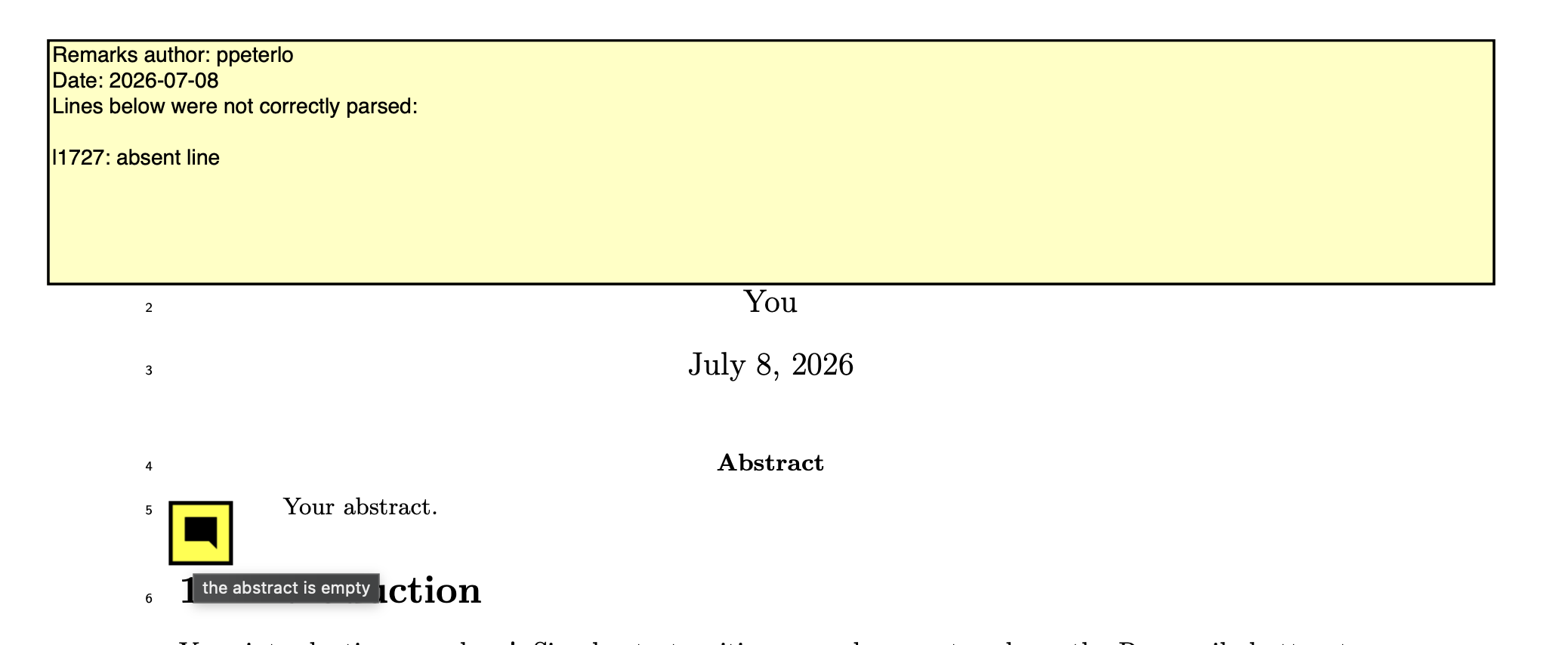
Any lines from your remark file that fail to parse are flagged in the short report on the first page. For example, this happens if the remark file references a line number that doesn’t exist:
Let us add a bad entry, refering to a non existing line 1727.
l5: the abstract is empty
find:"Figure 1": Why a frog?
l1727: absent line
The report contains this erroneous line.
More details
More details (install, expected format of the remarks, …) are provided in the git repo: https://github.com/pierrepeterlongo/annotate_pdf_from_remarks
Off course any feedback is welcome.